Free Chrome extension · Open source
Hide private data before you share your screen
Veil masks money, emails, phone numbers, card numbers and API keys on any site. It also hides, blurs or rewrites any element that you pick. Your changes stay in your browser.
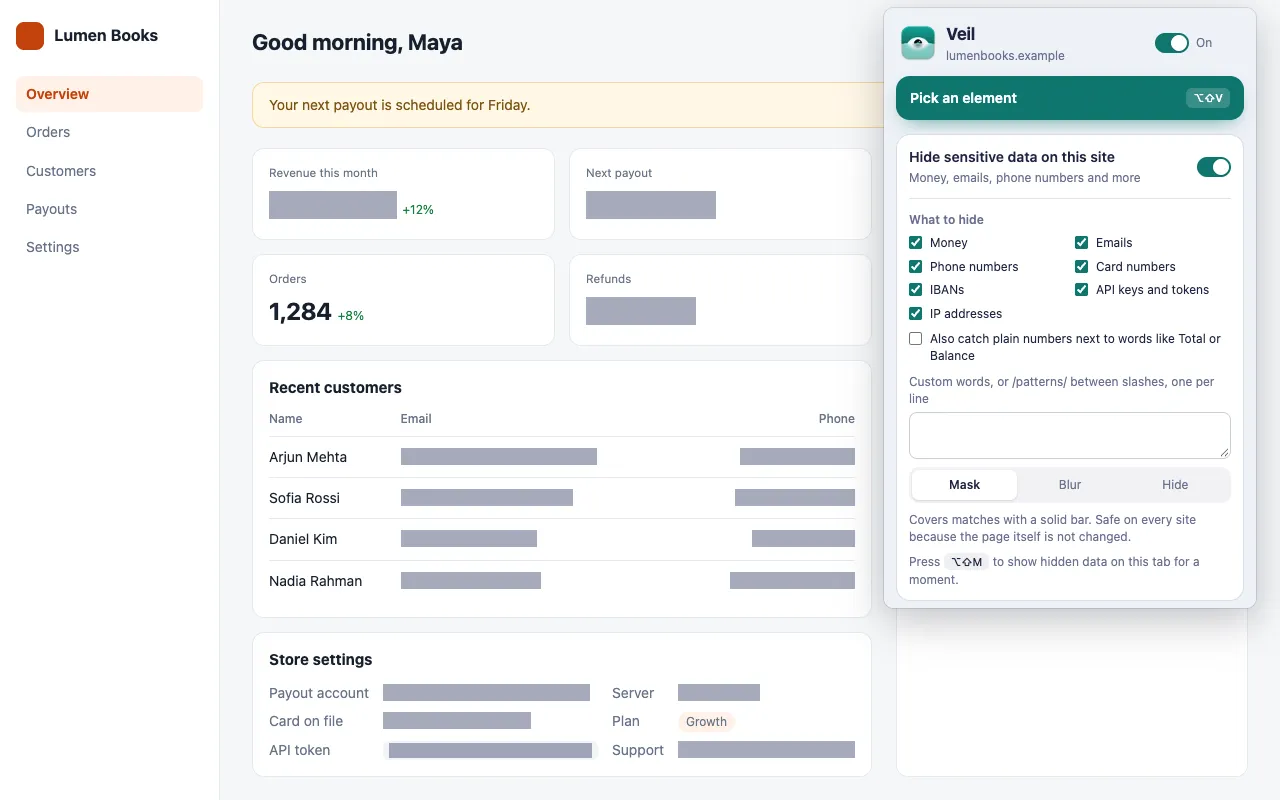
Hide sensitive data on a whole site
Turn it on once for a site. Veil covers every match on its pages, also content that loads later, and skips near misses such as dates and version numbers.
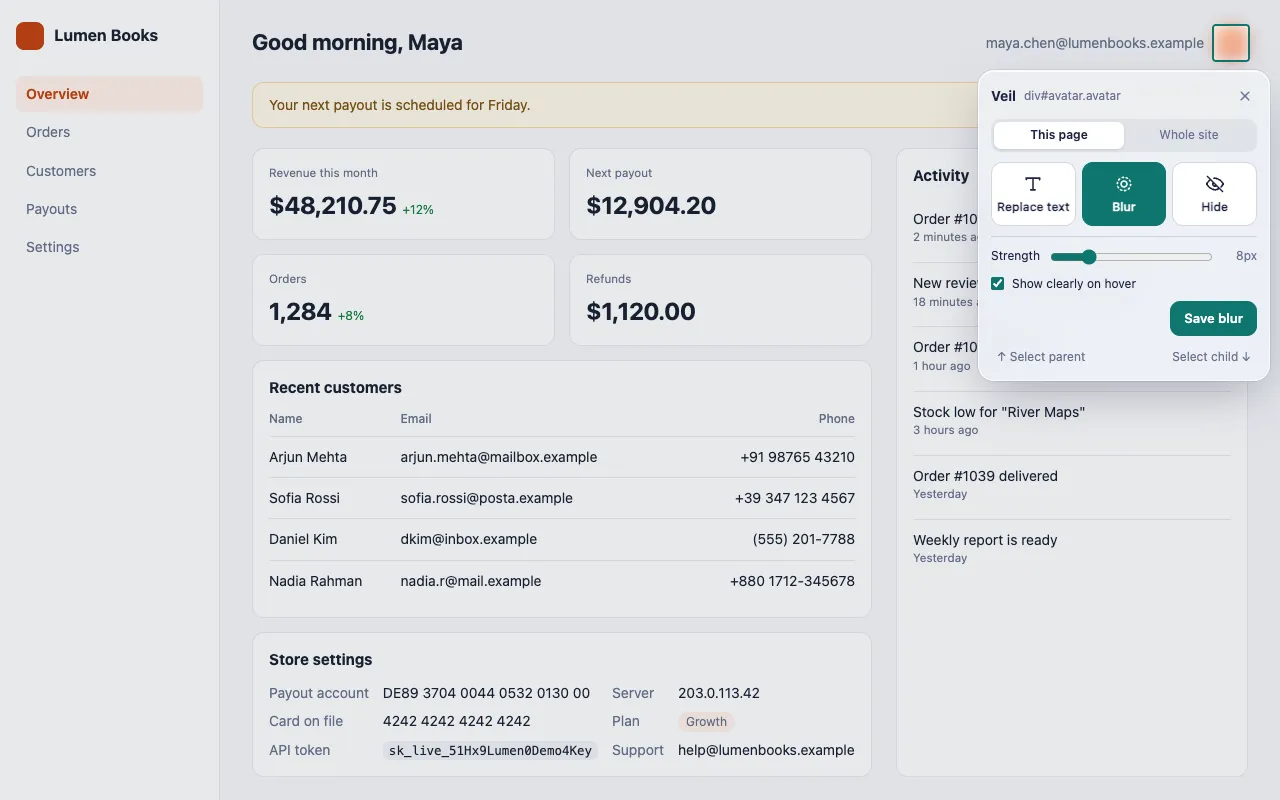
Hide, blur or rewrite any element
Pick an element, or right-click it. Blur it with a live preview, hide it with or without its space, or type new text directly on the page.
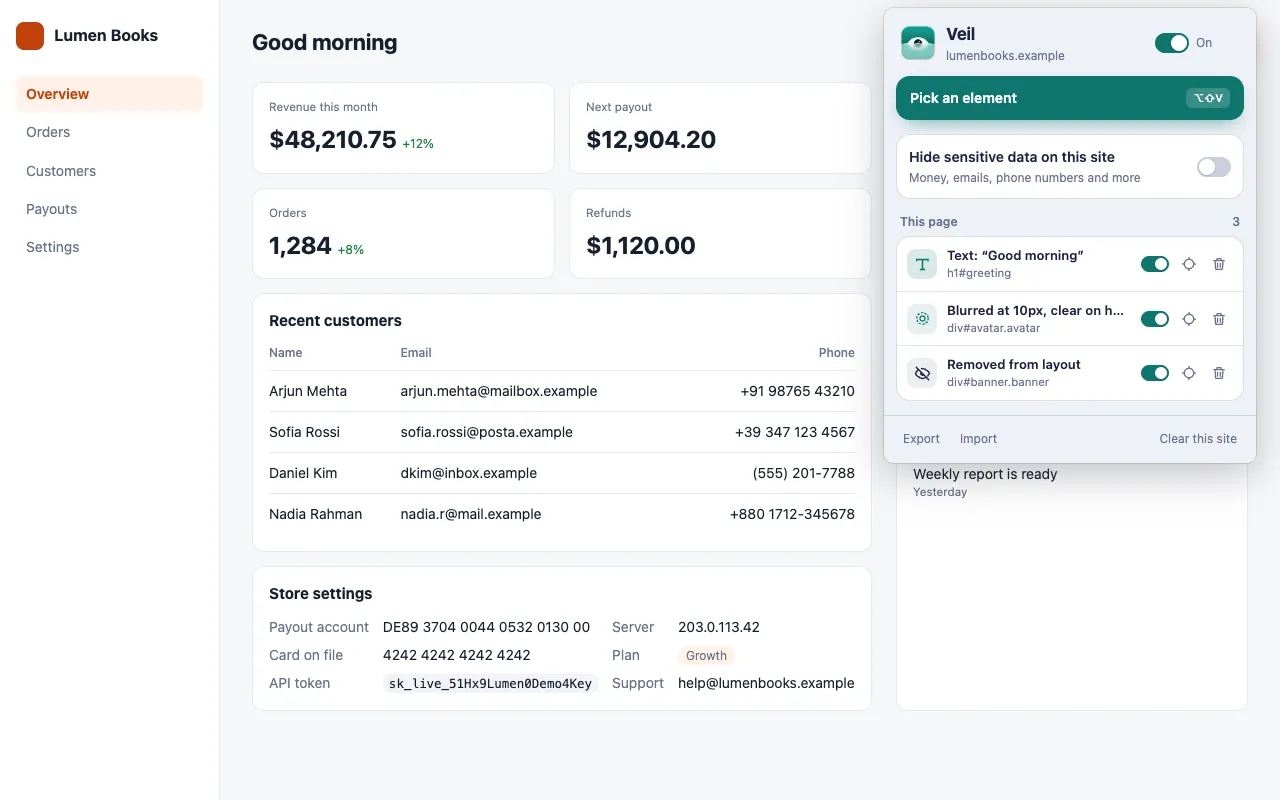
Your changes come back on every visit
Apply a change to one page or to the whole site. Veil applies it again when the page loads, also on single-page apps. Turn rules on and off from the popup.
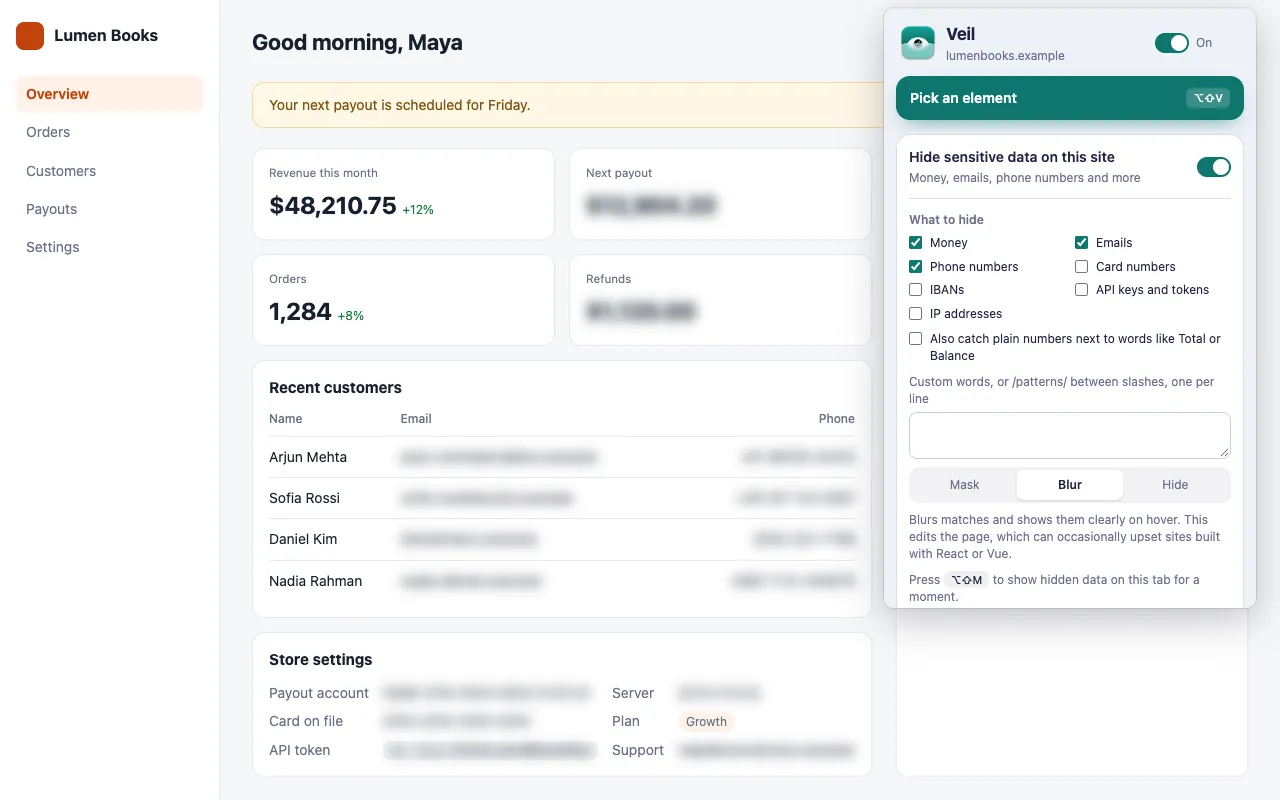
What Veil can find
Select the types for each site. Card numbers and IBANs must pass their checksums, so random numbers stay visible.
Money
$48,210.75
Emails
maya@lumenbooks.example
Phone numbers
+880 1712-345678
Card numbers
4242 4242 4242 4242
IBANs
DE89 3704 0044 0532 0130 00
API keys and tokens
sk_live_•••••••••
IP addresses
203.0.113.42
Your own words
Project Falcon
Three styles: Mask covers matches with a bar, Blur shows them on hover, and Hide keeps their space empty.
Keyboard shortcuts
Change them at chrome://extensions/shortcuts.
- Pick an elementAltShiftV
- Pause or resume all changesAltShiftX
- Show hidden data for a momentAltShiftM
Private by design
No network requests
Veil has no analytics, no tracking and no remote code.
Stays in your browser
Your rules are saved on your device. Export them to a file when you want.
Open source
Read every line on GitHub. Veil is released under the MIT License.
Veil hides data visually only. The page's own scripts can still read it, and Veil cannot hide data inside iframes, canvas charts or images. Read the privacy policy.
Install Veil
Step 1
Download the zip from the latest release, and unzip it into a folder that you keep.
Step 2
Open
chrome://extensionsand turn on Developer mode.Step 3
Click Load unpacked, and select the folder that contains
manifest.json.Step 4
Pin Veil from the puzzle-piece menu, open a site, and click Pick an element.